Internet Explorer: If you have a PC your computer came with this browser. If you have a Mac, don’t bother.

Google Chrome: http://www.google.com/chrome

FireFox: http://www.mozilla.org/en-US/firefox/new/

Safari: http://www.apple.com/safari/

graphic design, print, websites, logos, ads, publications, wordpress

Internet Explorer: If you have a PC your computer came with this browser. If you have a Mac, don’t bother.
Google Chrome: http://www.google.com/chrome
FireFox: http://www.mozilla.org/en-US/firefox/new/
Safari: http://www.apple.com/safari/

 “StatCounter’s monthly statistics for November show IE in the lead with 40.63 percent of the global market, followed by Chrome with 25.69 percent, Firefox with 25.23 percent, Safari with 5.92 percent and Opera with 1.82 percent.”
Source: http://www.infoworld.com/d/applications/chrome-takes-no-2-browser-spot-firefox-180579
I’m not surprised Chrome took 2nd place from FireFox. What that article doesn’t talk about is why this might be happening:
FireFox has made some HUGE mistakes this year:
One of which was trying to play catchup number-wise to Chrome which caused extension problems (Chrome didn’t take the standard approach to numbering so it started off 2011 at around version 11 and FireFox was just at version 4 even though FireFox has been around longer and had more versions. People make wrong assumptions about the bigger number.) The way extensions have typically worked has caused problems with FireFox’s sudden decision to play the number game and go from version 3 to version 8 in a year (even though there aren’t major differences between 4 and 8.)
The other problem for FireFox is a huge memory leak with recent versions(or a memory leak that got worse with each version since 3.6.) What that means is that the longer you have firefox open on your computer, the slower your computer gets because it keeps using more and more of your available ram.
FireFox also became annoyingwith asking to update every time they came out with a new version … which also meant you had to update your extensions and wait to find out which ones no longer worked. Most people don’t know how to downgrade because they don’t make that easy.
I started using Chrome as my primary browser around July.I still use an older version of FireFox because there’s one developer extension that isn’t on par in Chrome but everything else in Chrome is the same or better. And typically I test in two versions of FireFox still (3.6 and whatever is current.)
It’s frustrating but I see FireFox going the way of Opera which used to have more market share (though Opera never made as much headway on Internet Explorer as FireFox has.)
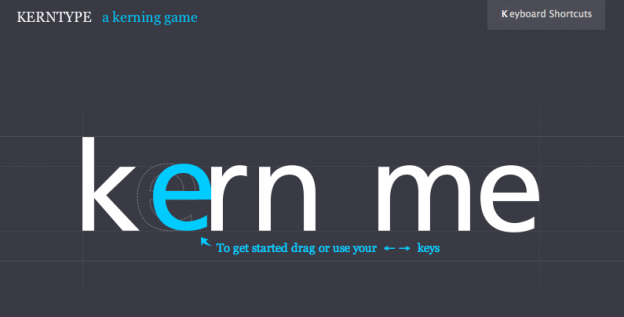
Surprisingly fun for those of us who love typography. 🙂

Dreamweaver is just a tool. It would be like asking if you could write a grammatically correct sentence in Microsoft Word. Can you write that sentence using another tool? Yes. Can you build a website without Dreamweaver? Most definitely.
Usually I don’t get asked this question because the current site was built with Dreamweaver, usually I get asked this question because people have heard of the software and that’s their only reference point for website design.
Dreamweaver is simply a WYSIWYG editor. WYSIWYG stands for “What You See Is What You Get.”
What Dreamweaver can’t do is work well with WordPress or Drupal theming. I stopped using WYSIWYG editors when I started really using php and css because, at that time, the editors weren’t up to par with that technology. They’re better now but they aren’t perfect. The editors still produce bad code on occasion so even if someone is working with the software they should still understand the underlying code. Once you learn to read more code you usually are faster without WYSIWYG editors.
So what do I usually use in place of Dreamweaver? As of November 10, 2011: A combination of firebug, web developer toolkit, textwrangler, and cssedit.

Secure Password Database solutions
(in order of our preference):
| Lastpass | 1Password | Keepass | RoboForm | |
|---|---|---|---|---|
| Cost | Free or Premium $12/year Compare versions | One time fee $49.99 mac or pc $14.99 iphone or ipad 30 day demo available | Free Exception: iphone & ipad apps ($0.99 and up) | Free or $19.95/year RoboForm Everywhere or one time fee (not recommended): $29.95 Roboform Desktop Compare Versions 30 day demo available |
| Does not require an outside service to to sync across multiple devices. | Yes - just log in and go. (Must have internet access in order to update on mobile devices.) | No - Need dropbox or similar to sync across multiple devices. | No - Need dropbox or similar to sync across multiple devices. | Yes - Roboform Everywhere (online). No - Roboform Desktop requires dropbox or their recommended GoodSync to sync across multiple devices. May only sync to other computers with the software. |
| Computer Platforms | PC Mac Linux | PC Mac | PC Mac Linux | PC Mac Linux |
| Mobile Platforms | Premium Accounts only: iPhone Blackberry Android Windows Mobile Windows Phone 7 HP WebOs Symbian S60 | iPhone Android and windows phone 7 in beta | iPhone Android (beta) Blackberry Windows Phone 7 Pocket PC & smart Devices Palm OS converter | iPhone Android Blackberry Windows Mobile Palm Symbian |
| Encryption Type | 256-bit AES exclusively encrypting and decrypting on your local computer. No one at LastPass can ever access your sensitive data. Full tech details | 128-bit AES Full tech details | 256-bit AES (default) or 256-bit Twofish Full tech details | 256-AES or Blowfish, RC6, 3-DES or 1- DES algorithms Full tech details |
| Fills forms in browsers | Yes: Internet Explorer FireFox Chrome Safari | Yes: Internet Explorer FireFox Chrome Safari detail | No | Yes: Internet Explorer FireFox Chrome Safari |
| Quickly Generate Secure passwords with program | Yes | Yes | Yes | Yes |
| Special details (things that the others don't do) | Share passwords securely with other lastpass users ("share" option does not disclose the password, "give" option lets the password to be seen by the other person.) | Open Source OSI certified | ||
| Independent security audit (a knowledgable outside party checking the code) | Sorta - as of Jul 18 2014, it's the closest thing any of these have to an independent audit: http://blog.lastpass.com/2010/07/lastpass-gets-green-light-from-security.html | No | Code is open for review but hasn't been specifically audited by a knowledgable entity with results posted | No |

 Godaddy Shared Hosting is possibly one of the worst hosting solutions available to you. I would highly recommend avoiding them for anything other than domain name registration.
Slows down websites: Sites that would normally be fast on other hosting may take longer to load. Why? Because your site is packed onto a server like a sardine (this is not quite accurate but gives you a nice visual.) Godaddy likes to overwork servers. Overworked servers mean that they are really putting more than an ideal number of accounts on one machine. An example I came up with while researching my article was 3900 websites for one IP address. And your sites speed can be affected by how many people are trying to access the other sites. They say that if you don’t like possible periods of slowness, you should upgrade to their VPD accounts. More on this in a minute.
Very limited simultaneous connections to your site or database: In the case of database driven sites there may be multiple simultaneous connections to the database for one visitor. The exact number is dependent on your site. If it’s WordPress, things like plugins or themes may utilize connections to the database. Too many connections will cause a “Connection timed out” response. And even if you have a basic website without a database, what if you go to a networking event or trade show and 50 or more people try to access your site at once? They might not be able to because of the lower setting on your account.
Lax (or complete lack of) WordPress security: This is a lengthy article but pretty much explains this perfectly.
Godaddy’s VPD (Virtual Private Dedicated) hosting is no better. A client of mine had been talked into a Godaddy VPD account by a reseller who was someone he knew. The Godaddy VPD hosting account couldn’t run his website because of a bloated control panel, it kept dropping offline. “Simple Control Panel” (otherwise known as TomCat on the server end) uses up most of the memory available to the lowest level VPD plan. If you call godaddy up, they automatically suggest upgrading to the next VPD plan (see a trend here? Their solutions seem to be “Got a problem? Upgrade to a bigger plan with us.”) So if you’re smart you switch hosts. If you’re smart and stubborn and really want to stick with godaddy, you find this:
And turn the control panel off so you have access to the expected amount of memory and you don’t have to upgrade. Then to add insult to injury, the root access you had to make these changes magically disappears. No root, no command line, no control panel, you’re pretty much up a creek with less than you get with shared hosting. And the site goes down from time to time for 15 minutes here and there.
Yay! Note the sarcasm. Yes this really happened.
So hopefully I’ve given you enough reasons to steer clear of Godaddy for any form of hosting plan. With that, what should you use? Well if you want to be a client of Fascination Design then I would recommend our hosting. If that’s not something you’re interested in then see our article on recommended hosting.

 BE SMART WITH YOUR PASSWORDS:
Quick summary on the people calling and offering guarantees for search engine placement:
Other things that could go wrong: they use techniques that will get you ranked higher but when caught by the search engines, your site will be removed from search results entirely (black hat seo techniques.) And in my opinion even worse than that is if they don’t know what they are doing and open up security holes for your site or server.
Back to your question at hand “is this something necessary and worth considering?”: The short answer is no. Typically companies calling you and claiming they offer a 100% guarantee that they can get your site into 1st position are flat out scams. Even more likely if they are claiming this without knowing what words or phrases you want to be on the first page of results for.
It is better to start with content creation and making modifications to existing content. Fascination Design does offer a more comprehensive SEO review and PPC campaign management. We are also willing to work with a reputable outside firm in this area.
Quick tip: if your business has a physical location, be sure to check out Google Places and add your business there.

Created by: MBA Online