How do I rebuild a site in WordPress on the server while leaving the existing site live until it’s done?

These instructions are for designers and developers working on a linux based server.

1) Leave the existing site

2) put all of wordpress in a folder (usually “wordpress”)

3) build the site in wordpress and test it thoroughly.

4) put an htaccess file in the folder outside of the “wordpress” folder that redirects everything correctly to inside the wordpress folder as if it were in the public_html folder. Also, do your 301 redirects here for pages that need to redirect to specific wordpress pages or categories. Should look something like this:

RewriteEngine On

# Old redirects made Dec 6 2012
RewriteRule ^about_us.html /about-us/ [R=301,L]
RewriteRule ^services.html /services-pricing/ [R=301,L]
RewriteRule ^index.html / [R=301,L]

RewriteCond %{REQUEST_URI} !/wordpress/(.*)$
RewriteCond %{REQUEST_FILENAME} !-f
RewriteRule ^(.*)$ /wordpress/$1 [L]


7) Log in to wordpress, got to settings> general > and change WordPress Address (URL) and Site Site Address (URL) to not include the /wordpress/
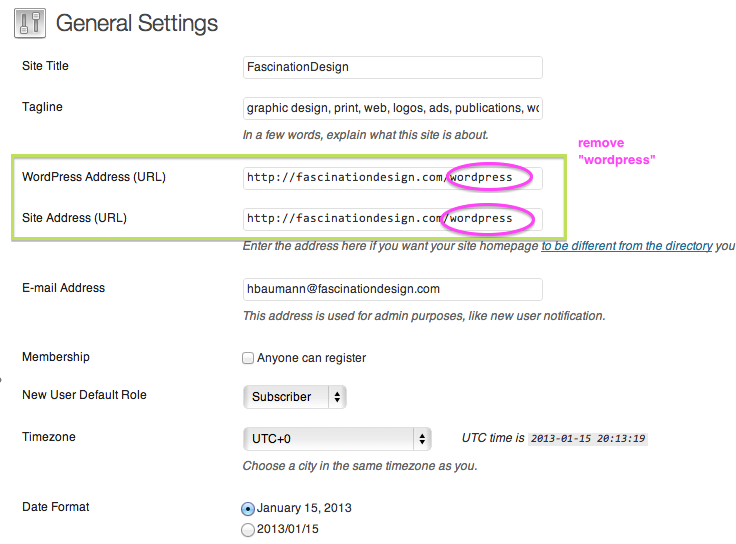
Screen Shot 2013-01-15 at 3.14.50 PM


8) delete old site files that are outside of the wordpress folder just in case.

And you should be done. htacess files can sometimes be a little persnickety but the above directions and code should cover most basic situations.

If you’re on a Windows server you have to install something on the server and there may be some differences in the rewrite rules. I don’t work on Windows servers enough to give full details.
The site that never was – maybe

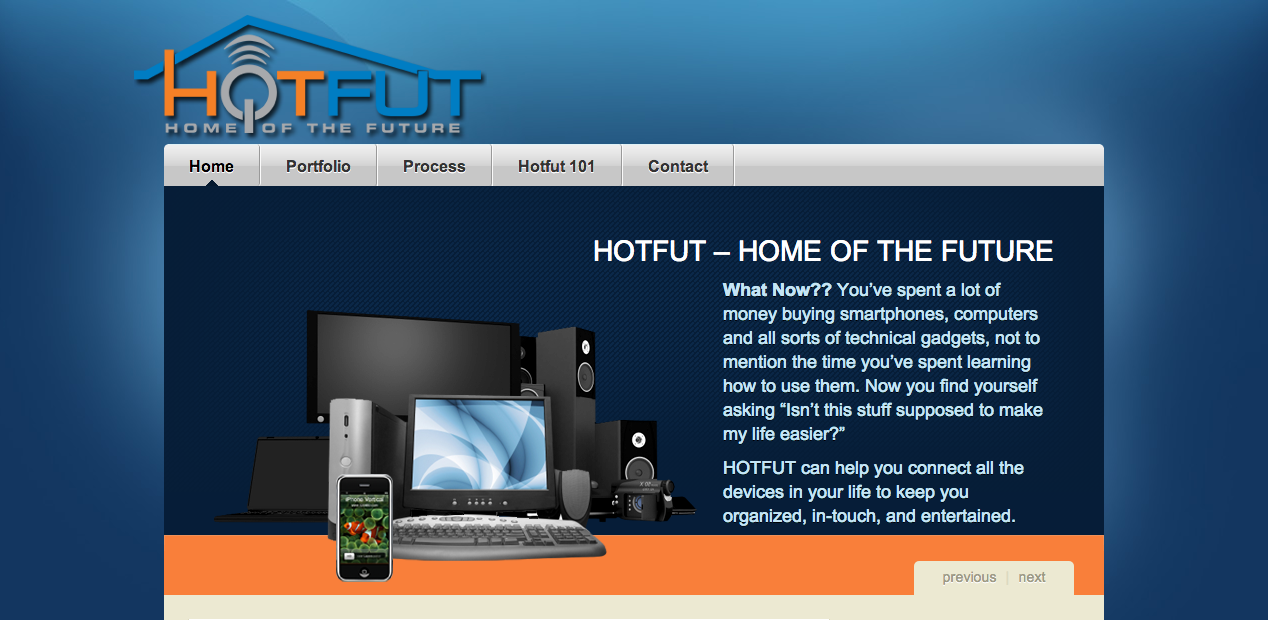
We all occasionally end up with those tasks or projects that start out strong and then sorta fade into “I’ll get to it soon.” This entire site however ended up meeting that fate. When it came time to get the content together, the client was busy with his clients. Reminders were sent until they tapered off until they were no more. So the site just sat there about half done waiting for content.

I talked to the client recently and we decided to wrap up the files so he could use it at some point down the road but not to finish it out at this point in time.

It was a gorgeous site however and I wanted to just give a nice little peek of it here. It would be a shame if it never saw the light of day.

Hotfut Screen Shot 2013-01-04 at 12.58.14 PM

Remove “Home” label only on homepage of WordPress theme

This is code to remove the “Home” label at the top of the page (typically just below the navigation menu) only on the homepage but leaving the page names on all of the other pages.

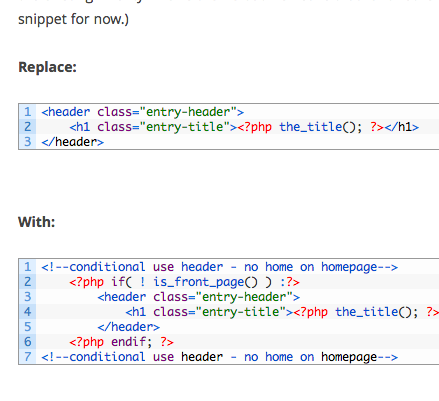
Find the file in your theme that calls the entry header. For the Twenty-Twelve theme, this will be in your content-page.php. (I also recommend creating a child theme instead of editing the existing Twenty-Twelve theme but we’ll save that for another time and focus on the code snippet for now.)

Replace:

<header class="entry-header">
	<h1 class="entry-title"><?php the_title(); ?></h1>
</header>


With:

<!--conditional use header - no home on homepage-->
	<?php if( ! is_front_page() ) :?>
		<header class="entry-header">
			<h1 class="entry-title"><?php the_title(); ?></h1>
		</header>
	<?php endif; ?>
<!--conditional use header - no home on homepage-->


Adding new google calendars to your iphone

“Why am I not seeing a new google calendar on my iphone?” Is probably the question you are asking yourself.

Once you have your phone set up to connect your account, you will need to visit the following two websites from your iphone:

  1. m.google.com/sync/settings/
    Here you will check which calendars you wish to see on your device.
  2. google.com/calendar/iphoneselect
    For some reason you also have to make the same selection on this screen as well. I’m not entirely sure why, but it works (as of Jan 2013.)

Revisit these steps any time you add an entirely new calendar or someone shares a calendar with you that you want to see on your iphone.

Creating a PDF from Microsoft Publisher

If you are using:

This last one you would use the 2-step download listed first and not the other files. Instead of saving the file to a pdf you will “print” and select PDF995 from the list of printer options once installed. Basically this last one acts like you’ve installed a printer that “prints” a pdf for you. It’s software I have used and trusted for … probably going on 6+ years now. It’s a great emergency backup and is in fact what I used with your Publisher file because the file was locked somehow and I couldn’t resave it to a pdf even though I have that option on my computer. The paid version of this (only $20) just removes the ads.

Lighting basics for video

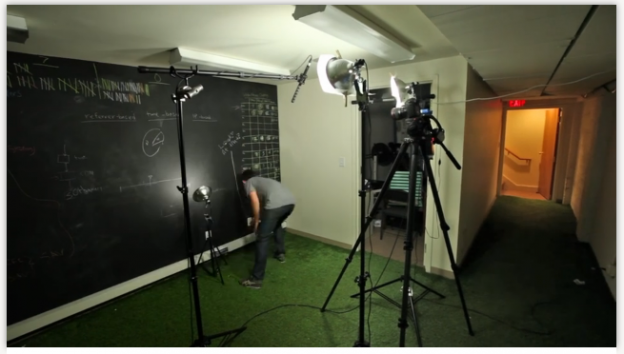
One of the best quick tutorials I’ve seen on some lighting basics for video whether you want to do a video for a blog or want to do a quick down and dirty video introduction for your website. Or maybe you want to do a product demo or two. Check it out (includes equipment list): http://wistia.com/blog/your-first-lighting-kit/

Screen Shot 2013-01-09 at 2.35.43 PM

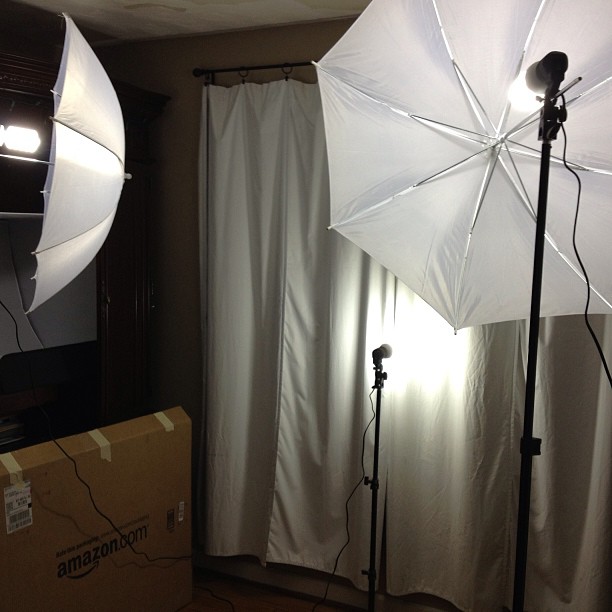
My new lighting setup using the Cowboystudio lighting kit is shown below.

Roughly the same price to the kit they make in the above video but it folds down and stores nicely in a small bag:

Cowboystudio three peice lighting kit

Other great tutorials from Wistia to get you started with video on your website:


NEW Wistia Learning Center: http://www.wistia.com/learning

Ramit’s Top 5 Productivity Mistakes

Great tips on productivity:

The takeaway I want to focus you on the most:
Big wins: focusing on the things that will make THE most impact on your life.

Instead of spending our mental energy on whether or not to buy a $5 latte, instead use that energy to make you so much more than $5 back while you drink that latte and get something done. This doesn’t mean if you are broke just spend spend spend on a credit card but it does mean prioritizing and not wasting your energy on things that don’t really matter much in the grand scheme of things.

Transmit menu bar bug workaround

Hopefully by the time you’re reading this, there will have been an update that fixes this (I sent them info on the bug and got a response back.) But just in case…

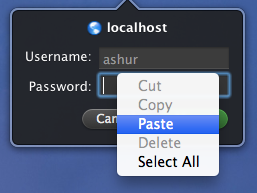
Problem: pressing Command-V on the keyboard doesn’t paste any data from the clipboard into the Transmit Disk menu bar.

Workaround: Right-clicking (or Control-clicking) in the password field presents a small context menu, and choosing Paste will actually paste the contents of your clipboard.

The workaround was actually provided back bu the Transmit team.

Since I use Lastpass and use copy and paste for really complication passwords, being able to paste is vital so I thought I would share for anyone else who has run into this.